01 / 04
Choose a direction for your fall portraits
Start with where the picture will appear. For an avatar, choose a close portrait with leaves below the face. For a post about an autumn walk, try a wider composition with a tree-lined path and a coat. For a quiet series, use plain clothing and soft window light with little decoration.
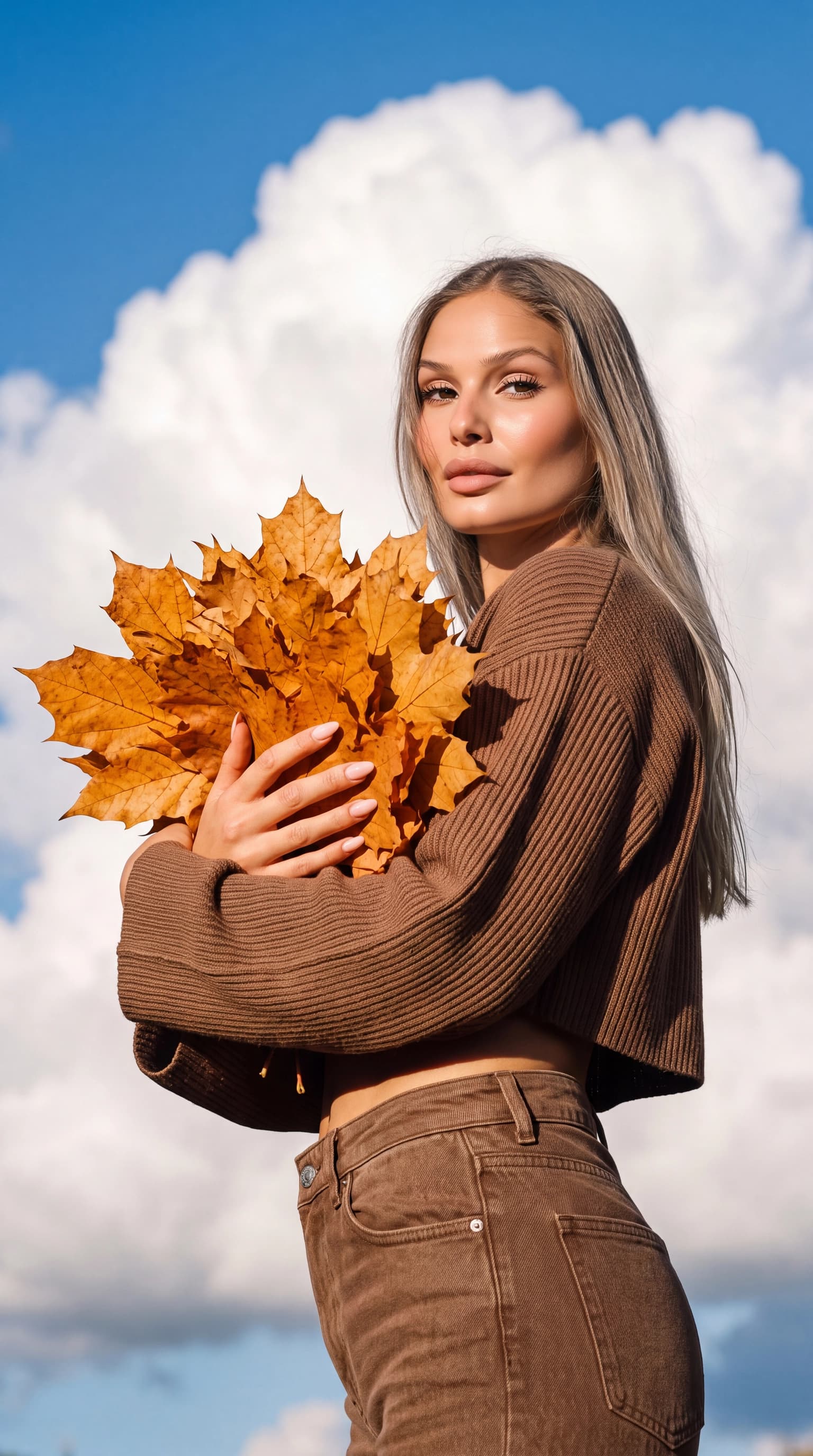
Keep to two or three main colors. The cover pairs a brown knit, golden leaves and blue sky. When the outfit, props and background all compete for attention, the face can become the least noticeable part of the image.
- Leaves near the shoulder or chest keep the seasonal detail close without covering the face.
- A city walk with a coat and a quiet background can anchor a consistent series.
- A window portrait creates a fall mood without needing a forest or park scene.
02 / 04
Three autumn photoshoot prompts
Adapt these starting descriptions in a tool with text input. They are separate scene ideas, not the prompts used to produce the cover image. Ready-made ReCrea looks do not require you to write a prompt.
Portrait with leaves
Waist-up outdoor portrait, brown knitted sweater, a small bunch of golden maple leaves held at chest level, face fully visible, clear blue sky, soft daylight, natural skin tones.
An autumn city walk
Knee-up portrait on a quiet autumn street, beige coat and dark scarf, hands in pockets, golden foliage in the background, soft overcast light, looking at the camera, simple composition without lettering.
A quiet morning by the window
Chest-up portrait beside a large window, plain wool sweater, soft side lighting, blurred autumn trees beyond the glass, relaxed expression, cream and terracotta colors, very few objects in the frame.
03 / 04
Create your fall photos in ReCrea
Prepare 10–50 clear photos of the same person and build a personal AI profile, or reuse a profile you already have. Choose an autumn catalog look by its framing, light and outfit. Check the app for current look availability and generation cost.
Keep one visual idea across the first set, then explore leaves, a street or a window scene. A series is harder to assemble when every image uses a different palette, outfit and lighting direction.
04 / 04
Review the seasonal details
Zoom in on fingers and leaf edges. A prop should not merge into the hand or pass through it. Check the eyes, hairline and expression, and make sure the yellow and orange surroundings have not turned the skin an unnatural orange.
Test a circular crop for an avatar and leave space above the head for a vertical post. If the face is too small, choose a closer portrait look instead of heavily enlarging the finished picture.
- The face is open and recognizable.
- Hands, leaves and accessories are coherent.
- Skin color and light fit the scene.
- The crop preserves the face and main seasonal detail.
Questions, answered
Do my input photos need to have an autumn background?
No. Clear pictures of your appearance are what matter for the personal profile. The chosen look supplies the setting, clothing and seasonal mood.
Can I use the look shown on the cover?
Look for «Осень в ладонях» in the available ReCrea catalog. Its example shows the creative direction; your profile and generation will affect the result, so individual details may differ.
How do I avoid an overly orange portrait?
Choose neutral light on the face and keep most autumn colors in the background. In a text-based generator, specify natural skin tones and adjust that part of the description first.